Booking
New clients book themselves. You just find it on your calendar.
Send one link. People pick a time you are really free, the video link is already in the confirmation, and the reminders go out on their own. No back and forth, and nothing for you to remember to send.
Free during the private beta. Beta coaches keep 40% off for life.
- 50 minute session
- Video link sent with the confirmation
Friday, open times
- 9:00
- 10:30
- 1:00
- 2:30
- 4:00
- 5:30
What it carries for you
The booking runs itself. From the first click to the reminder.
Everything that used to take three emails and a calendar check happens while you are with another client.
- BookedJordan picked Friday at 10:30. It is on your calendar, video link attached.
- ConfirmedA confirmation and a calendar file went to Jordan the moment it was booked.
- ReminderThe day before, a reminder went out on its own.
- MovedJordan moved it to Tuesday from the link in the email. Your calendar followed.
- PackageThe session came out of Jordan’s package. Four left.
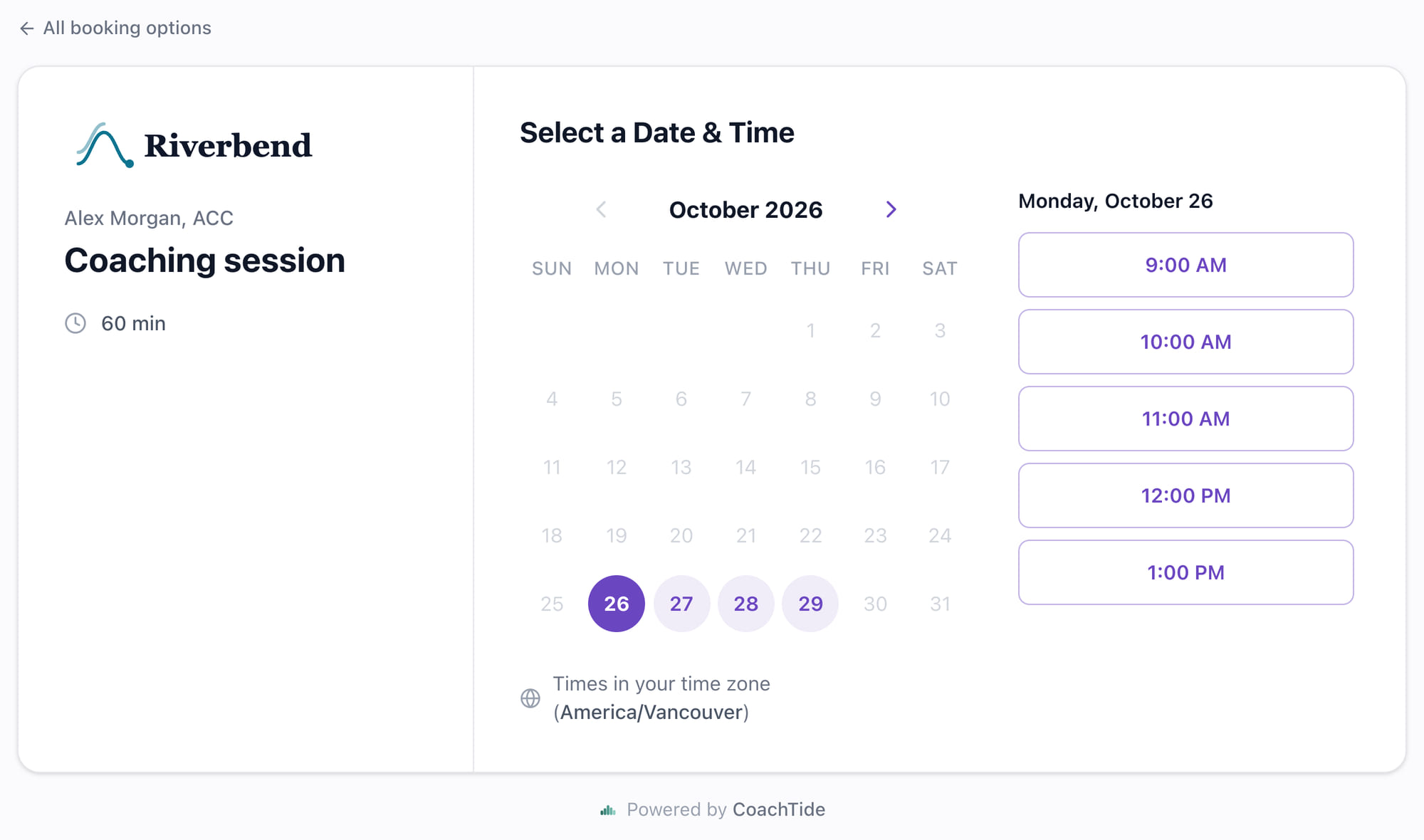
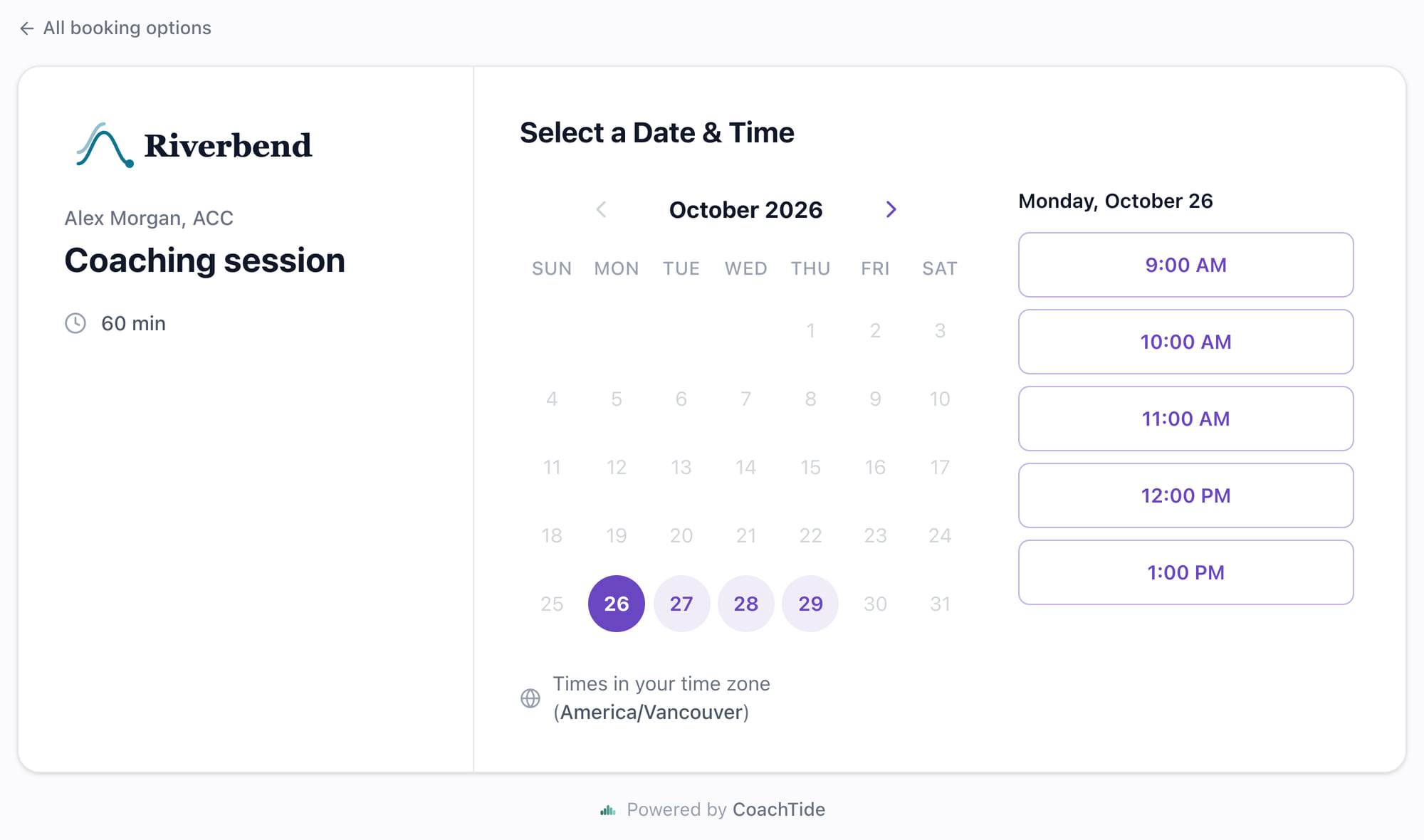
Booking pages
One link for every kind of call, each set up your way.
Set each booking type up once. After that, people book the open times on their own.
As many booking types as you need
A free discovery call, a 50 minute session, a longer intensive. Each has its own length, its own hours if you want them, a buffer between calls, how much notice you need, and how far ahead people can book.
Only the times you are really free
Connect Google Calendar and CoachTide checks it before showing a time, so nobody books over a dentist appointment. Every booking lands on your calendar as it happens.
The video link, already in place
Use your Zoom room or a Google Meet link, set once. It goes into the confirmation, the calendar file and the reminders, so you never paste a link again.
Its own emails, if you want them
Each booking type can carry its own confirmation, reminder and follow-up wording, or simply use the ones your whole practice shares.
On your own website too
Paste one snippet and your booking page sits inside your own site. Or use the coaching website CoachTide builds for you, already wired to it.
Know where bookings come from
Add a short tag to a link you share, like one for a podcast or a newsletter, and see how many bookings each one brought in.
From first call to client
A discovery call becomes a client without the paperwork chase.
- 01
The discovery call books itself
A prospect picks a time from your link. They become a record in your practice, with the call on their timeline and on your calendar.
- 02
One move when it is a fit
Drag them to Active on your pipeline, or mark them active on their record. A welcome email goes out with your intake form and coaching agreement. Not a fit? Nothing is sent.
- 03
They sign, and you are ready
Their answers and signed agreement land on their record, and you get an email. Book the first session, or a weekly series in one go.
The small things
The details that usually fall through the cracks.
Each one is a loose end you would otherwise have to remember. Here they are handled for you.
- Clients move a session themselves from the link in their email, up to the cutoff you set
- A booking from a package client comes out of their package balance on its own
- New people can land straight in the right stage of your pipeline
- An optional “How did you hear about me?” question, saved to their record
- A teammate can host their own booking type from their own calendar
- Email reminders before every session, and texts for clients who have agreed to them
Private by design
How this protects your clients
Your booking page shows open times only, never what is on your calendar or who else is booked. Spam checks screen out bots, and every booking lands in your own practice, kept apart from every other coach by the database itself. Texts go only to clients who have agreed to receive them.
Questions
About booking
Do I need Google Calendar?
It is not required, but it is how CoachTide knows when you are busy. Connect it and booked sessions appear on your calendar, and the times you already have taken are never offered.
Can clients move a session themselves?
Yes. Their emails carry a link to move the session to another open time, up to the cutoff you set. Your calendar updates on its own.
What about clients on a package?
When a package client books, the session comes out of their package balance automatically. If nothing is left, the session simply bills the way it normally would.
Do reminders go out by text?
Email reminders go out before every session. You can turn on text reminders too, and they go only to clients who have agreed to receive texts.
Make booking the easy part. Set it up once.
Free for the beta, 40% off for life after.