Coaching scheduling software
Clients book the time that works. Your calendar stays honest.
Send one link. Clients pick an open time, the video call link is attached, and you are both emailed the moment it is set. CoachTide syncs both ways with Google Calendar, so the slots you offer are the slots you actually have, and the reminders go out without you.
- Two-way Google Calendar sync
- Email and text reminders
- Google Meet or Zoom links
Free during the private beta. Beta coaches keep 40% off for life.
Thursday, June 12
- Video call link added
- On your Google Calendar
- Reminder set for the day before
What it carries for you
No more back and forth. The booking handles itself.
Finding a time, sending the link, writing it in the calendar, reminding them the day before. Every step that used to wait on you now happens on its own.
- BookedSam picked Thursday at 10:30. Video link attached.
- CalendarWritten to your Google Calendar. That slot is gone.
- ReminderEmail sent this morning, and a text for Sam, who said yes to texts.
- MovedJordan moved to Friday, inside your free window.
- Next onePackage session done. A note to book the next went out.
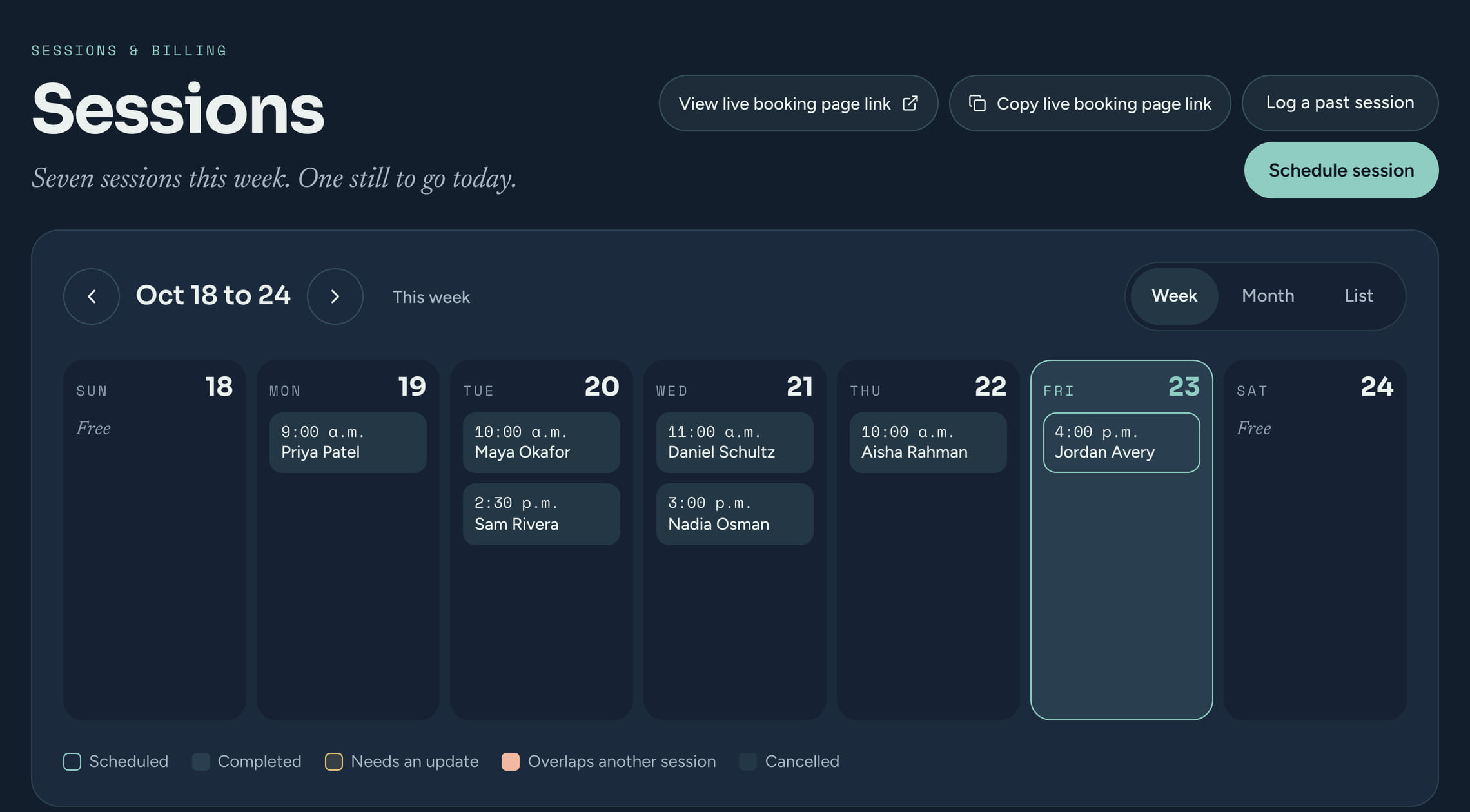
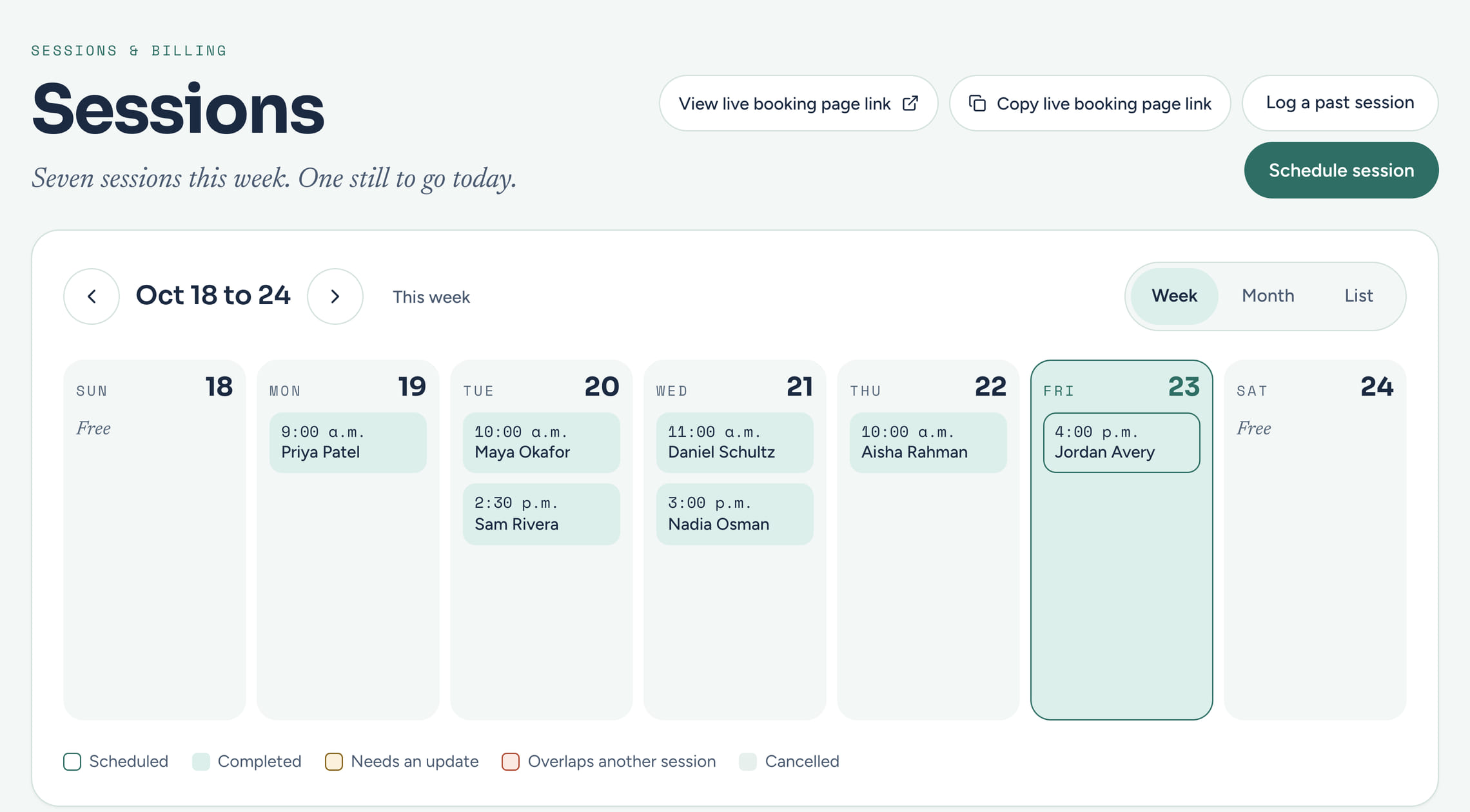
Booking pages
A booking page for every kind of session you run.
Make as many booking types as you offer. No bending a sales scheduler into coaching shape.
One page per kind of session
A free 20 minute intro call, your 50 minute sessions, a 90 minute deep dive. Each has its own link, length and rules.
Your hours, your buffers
Set the hours each type is offered, a buffer between sessions, how much notice you need, and how far ahead people can book.
Intro calls and sessions kept apart
Choose what each booking counts as. A coaching session counts toward your ICF hours and can be invoiced; a free intro call does not.
New people land in your pipeline
A type can add a first-time booker as a prospect at the pipeline stage you pick, or straight in as an active client.
Listed or link-only
Show a type on your booking page, or keep it link-only for the people you send it to.
Its own emails, if you like
Each type can use your standard confirmation, reminder and follow-up or write its own, and switch off its reminder or follow-up.
Two-way calendar sync
Synced both ways, so you never double book.
CoachTide checks your Google Calendar for the times you are busy and writes every new booking back to it. Block a morning for yourself and it disappears from your booking page. The times clients see are the only ones you are actually free for.
- Busy times on your calendar block those slots
- New bookings written straight back to your calendar
- A Google Meet or Zoom link on every booking, chosen once
- Teammates can connect their own calendars and run their own booking types
- 9:00Personal, blocked
- 10:30Sam KwanJust booked
- 2:00Jordan Diaz, session 4
Reminders
Reminders that send themselves, by email and by text.
No more remembering to nudge a client the day before. Fewer no-shows, and one less thing on your list.
Email reminders, on their own
Every scheduled session gets a short reminder email with the time and the join link. You choose how far ahead it goes and what it says, and each booking type can use its own wording.
Text reminders, for clients who said yes
Turn texting on in your settings and reminders go by text as well, from a CoachTide number included with your plan. There is no phone setup of your own. Clients agree to texts when they sign their agreement or consent form.
A real calendar invitation
The client can get a proper invitation for the session in their own calendar. When you move or cancel it, their calendar updates too.
Confirmations both ways
You and the client are both emailed when a time is booked. Sessions you add yourself can send the same confirmation, with a calendar file, when you tick the box.
Changes, handled
Moves, cancellations and the sessions in between.
Clients move their own sessions
Turn on rescheduling and every confirmation carries a link to pick a new time. Set a free-reschedule window, and decide whether a move inside it is charged.
Late and no-show fees, your way
Charge a no-show, or credit it to the next session so nobody is billed twice. Or charge nothing. It is your policy, applied the same way every time.
Recurring and package sessions
Set the weekly day and time once and the series is booked. CoachTide checks for clashes with your other sessions before anything is saved.
Booking from the client portal
A client with sessions left in a package can book the next one from their own portal, and the session is taken from what they have left.
On your own website
Put your booking page on any website with a short snippet, or use the booking built into your CoachTide website.
See where bookings come from
Tag a link to see which newsletter, post or page brought each booking. Only a tag on the link, no tracking pixels.
Private by design
How this protects your clients
Questions
Coaching scheduling, answered
Which calendars does CoachTide sync with?
Google Calendar, both ways: busy times block your booking page, and every booking is written back. You can choose which of your Google calendars count as busy.
Do text reminders cost extra, and who gets them?
Texts are included with your plan and sent from a CoachTide number, so there is nothing to set up. They go only to clients who agreed to receive texts, and any client can reply STOP to stop them.
Can I have different hours for different kinds of sessions?
Yes. Each booking type can follow your usual hours or set its own, with its own length, buffer, notice period and how far ahead it can be booked.
What video call tools does it work with?
Google Meet or your Zoom personal meeting link. Choose one as your default and the link is attached to every booking.
Can clients reschedule without emailing me?
Yes, once you turn rescheduling on. Each confirmation then carries a link to move the session to another open time. You set how close to the session a free move is allowed, and what happens after that.
Can I put my booking page on my existing website?
Yes. Copy a short snippet from your settings and paste it into your site, or link to your booking page from anywhere.
Hand the back and forth to a link. Just show up and coach.
Share your page once. Clients book, your calendar stays honest, and reminders go out on their own.