Client intake and onboarding
Your new clients onboard themselves. Intake, agreement and consent, before session one.
When you take someone on, one welcome email opens their private portal with your coaching agreement and intake form waiting. They sign and answer on their own time, you are emailed when they finish, and you walk into the first session already knowing what they want from it.
- Sends itself on activation
- Signed online, no printing
- No password for clients
Free during the private beta. Beta coaches keep 40% off for life.
- Coaching agreementSigned
- Intake formDone
- PreferencesOn file
What would you like to cover first?
Leading a growing team without losing my own focus.
What it carries for you
No chasing forms and signatures. Onboarding runs in the background.
Copying a form into an email, waiting on a signature, retyping a PDF into your notes. That whole stretch between yes and the first session now happens without you.
- WelcomeJordan is a client now. The welcome email went out.
- AgreementSigned this evening, from Jordan’s own portal.
- IntakeHalf done yesterday, finished today. Nothing lost.
- ConsentYes to email reminders and texts. No to the newsletter. On file.
- PrepTheir answers, waiting for you before session one.
How it works
From yes to session one, in three steps you barely touch.
- 01
Make them a client
Set them to Active, drag their card to that stage on your pipeline, or let a booking type add them. The welcome email goes out once, and you can skip it for anyone.
- 02
They sign and answer
The email opens their portal with a single-use link. The agreement and intake are waiting, and their answers save as they type, so they can stop and come back.
- 03
You hear when it is done
You are emailed when they sign and when they submit. Still waiting after about two days? A gentle nudge goes out once, on its own.
The intake form
Questions that fit the coaching you do.
Start from one of six question sets, written for different kinds of coaching (life, career, executive and more) or for the first session after an intro call. Change any question, add your own, or reset to the default whenever you like.
- Six starter question sets, every one editable
- Answers save as the client types, so nothing is lost
- Answers kept on the client's record, not in a PDF
- "How did you hear about me?" asked when they book, so the intake can stay about them
- What has changed since our call?I talked to my manager about the new role.
- What would you like to cover first?Leading a growing team without losing my own focus.
Agreement and consent
A signed agreement, and a clear record of what they agreed to.
Your agreement, in your words, signed online. Alongside it the client chooses what they are happy to receive and allow, and that choice stays with their record.
Your agreement, signed online
Write your coaching agreement once and every new client signs it by typing their name. The signed copy is kept exactly as they saw it, with the date and time.
Consent, chosen by the client
At signing they choose: text reminders, email reminders and follow-ups, and your newsletter. Everything but email reminders starts off until they say yes.
On hand when it matters
Their choices sit on their file, and your prep shows whether texts and email reminders are on before each session, so you always know how you may reach this client.
A clear, signed agreement about how you will work together and how their information is handled is what the ICF Code of Ethics asks of coaches. CoachTide keeps that record for you; it is not legal advice, so use the agreement wording that is right for your practice.
Ready for session one
Walk in already knowing what they want.
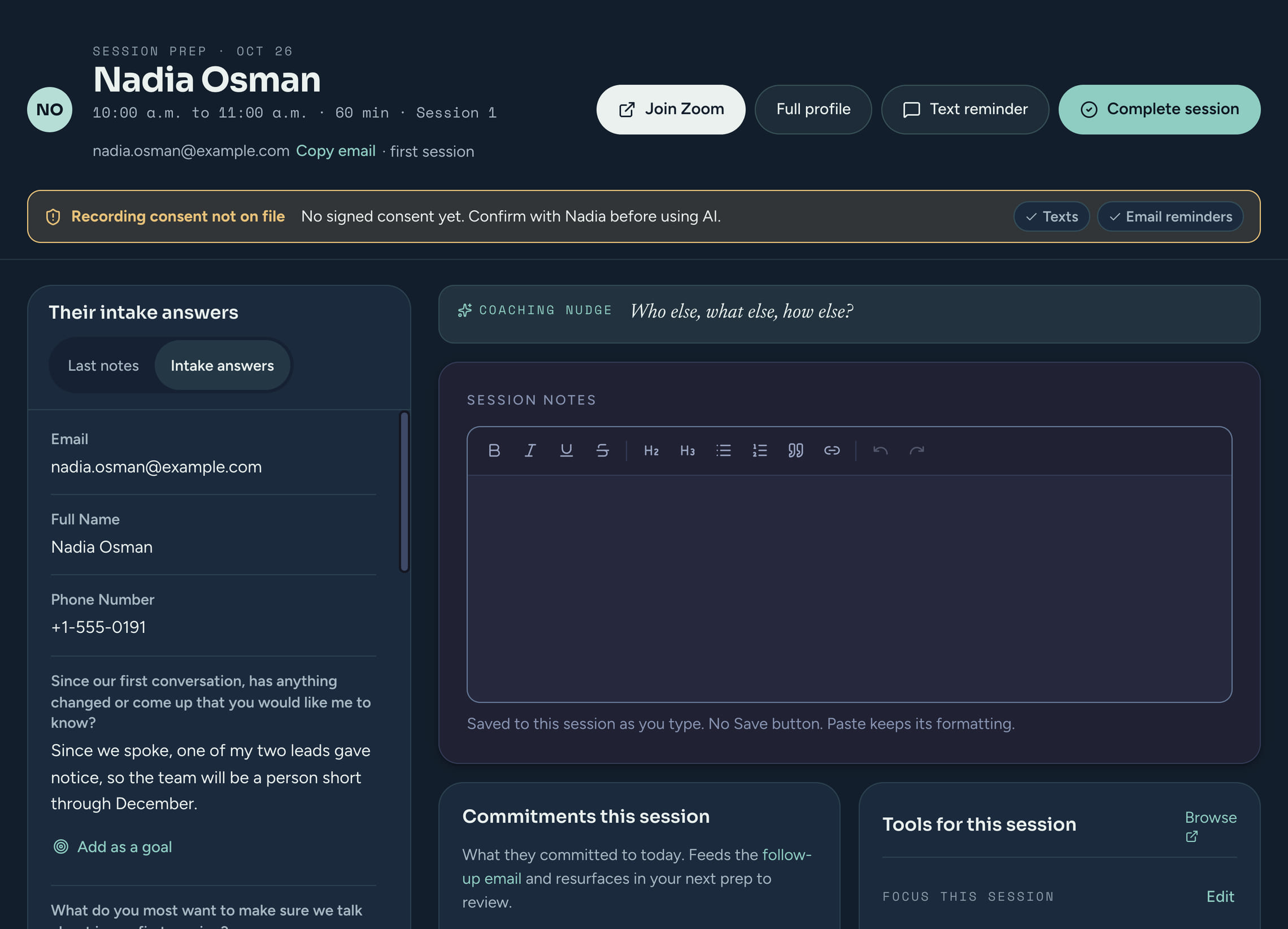
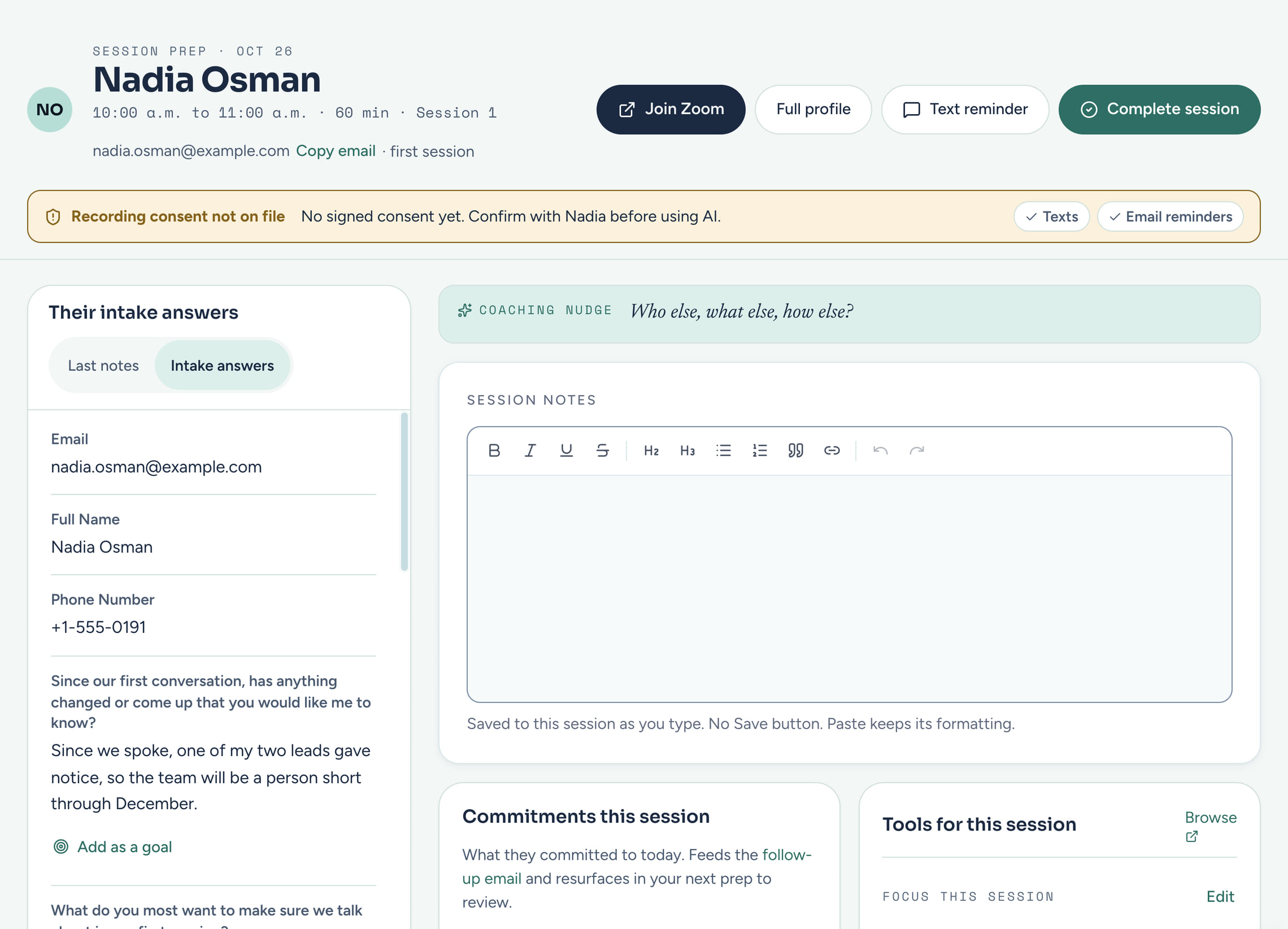
Their intake answers are on your prep screen before the first session, next to their goals and anything they have signed. Spot a goal in their answers and add it in one click, then shape it together.
More about session prep- Intake complete, agreement signed
- Lead a growing teamAdd as a goal
- Text reminders: on
Private by design
How this protects your clients
Questions
Client intake, answered
Can I use my own intake questions?
Yes. Start from a question set or from scratch, then add, remove, reword and reorder questions.
What if a client does not finish?
Their answers are saved as they go, so they can pick up where they left off. If the agreement or intake is still waiting after about two days, one reminder goes out on its own.
Do clients need to create an account?
No. Every email that leads into their portal carries a single-use sign-in link, so there is no password to set. Opening a used or expired link emails them a fresh one.
Does the welcome go out for every client?
Only once per client, and you decide. It is on by default for new clients, you can skip it for one person, and it is never sent to clients you import or merge.
What do clients consent to when they sign?
They choose whether to get text reminders, email reminders and follow-ups, and your newsletter. Essential emails, such as the agreement and invoices, always go. They can change their mind by telling you.
Make onboarding the easy part. Set it up once.
Write your agreement and intake once, and every new client onboards themselves.